Bijio Studio
A story editor for people writing branching fiction, not code.
Role
Co-founder, Product Design
Timeline
2026
Stack
Next.js, PostgreSQL, AWS

Bijio is a studio for writing interactive visual novels. Authors move between Create, Write, Board, Scene, Cast, and Play — one story model underneath, surfaces that answer different jobs. The hard constraint is a single scene record: every editor reads and writes the same node, and Play is the contract that the authored script and state match what readers get.
Branching story tools break at exactly the point they matter
Every tool in this category handles a short demo well. The trouble starts when a writer commits to something long. Scenes get represented in more than one place, those places drift apart, and the writer ends up maintaining a spreadsheet of what happened where. The tools do not fail on features. They fail on holding a story together once it stops fitting on one screen.
Bijio had the same shape of problem in miniature. A scene lived across Write, Board, Scene, Cast, and Play, and three of those could disagree about what the scene contained.
What we built
Create
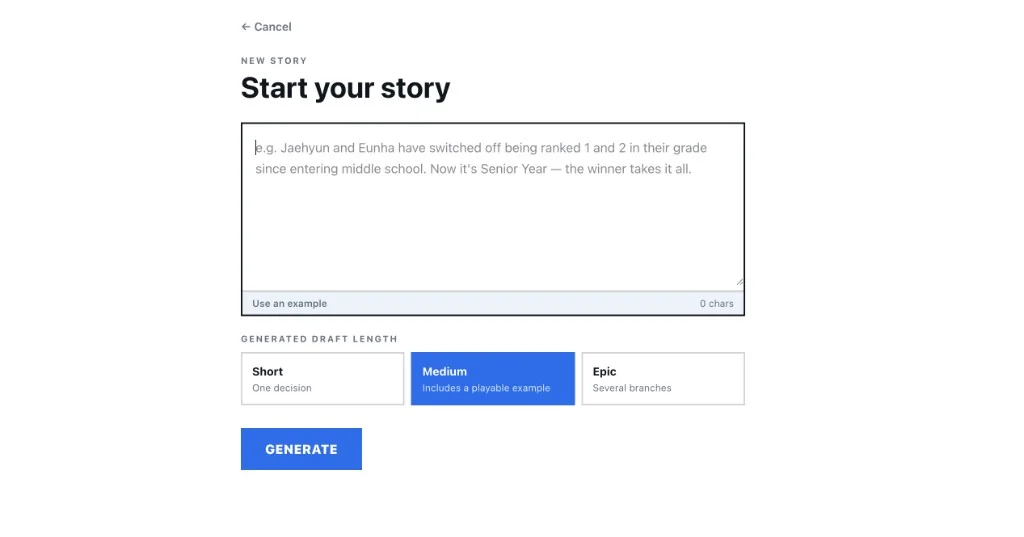
Start blank or from a one-paragraph premise. Length presets (short / medium / epic) shape how much graph AI scaffolds. Bundled examples and .bijio import get people into a real story without an empty Board. Create dumps you into the studio with an opening node ready to write.
Write
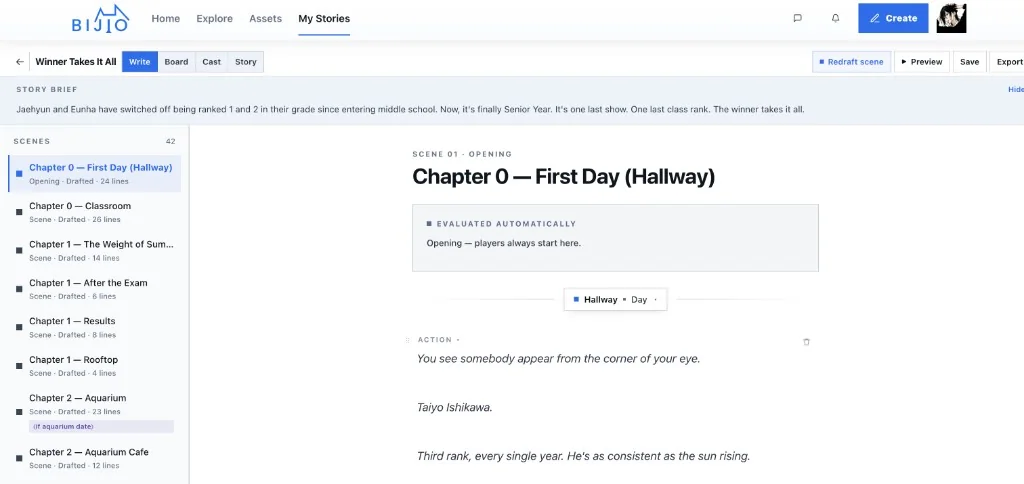
The document editor for the script. Left rail is the scene list in reading order, with branch nesting and status. Center is beats — narration, dialogue, stage enter/exit, mid-scene location changes. Choices live in the script: option text, conditions, flag/meter effects, response lines. AI can draft or redraft a scene from its brief. Autosave, undo, and play-from-here sit in the header.
Board
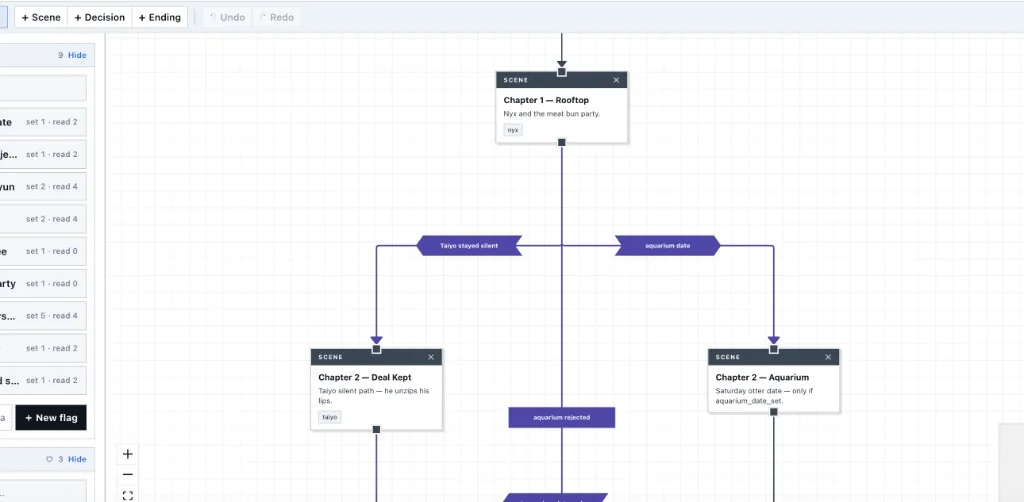
The arc as a graph — opening, scenes, decisions, merges, endings. Drag nodes, connect routes, inspect title / brief / must-include / who's on stage. Board is for structure and reachability, not line-by-line prose. Save & Play and play-from-node keep planning tied to the runtime.
Scene
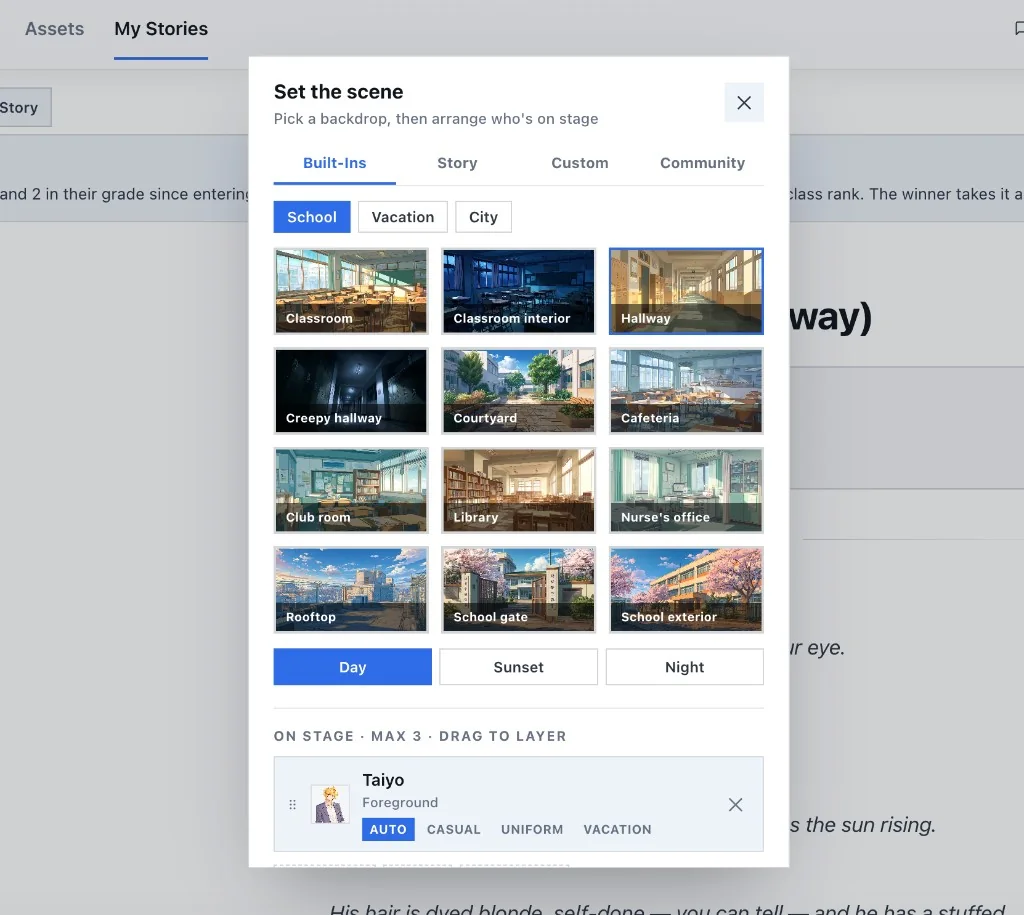
Stage-first editing. Background, up to three sprites in left/center/right slots, line-by-line dialogue with speaker and expression. Same underlying scene as Write — visual layout instead of document. Open in Write when you need the full script tools.
Cast
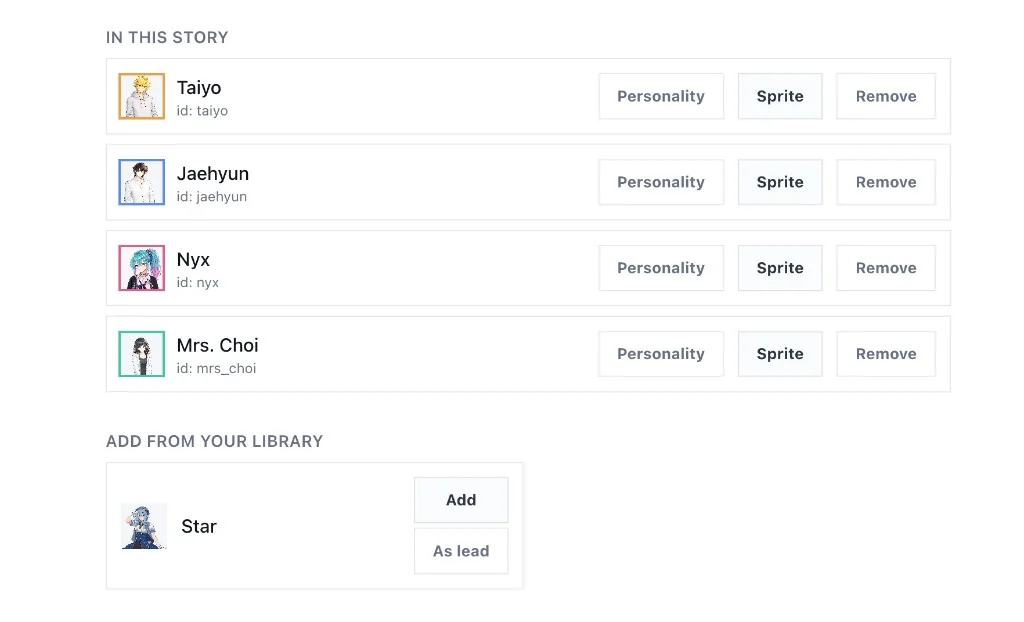
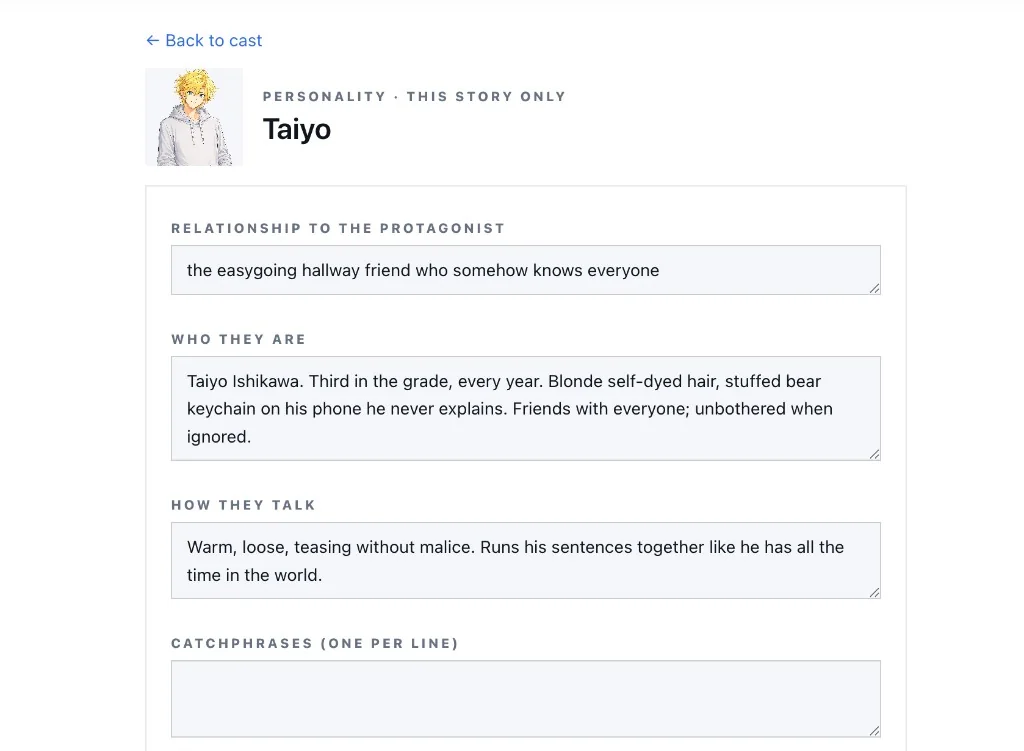
Characters are first-class. Roster for the story, personality (relationship, voice, catchphrases, values, knowledge), and look (built-in sprites or library / published swaps). Cast drives both the stage and the AI writer — who speaks, how they sound, what they know.
Play & Publish
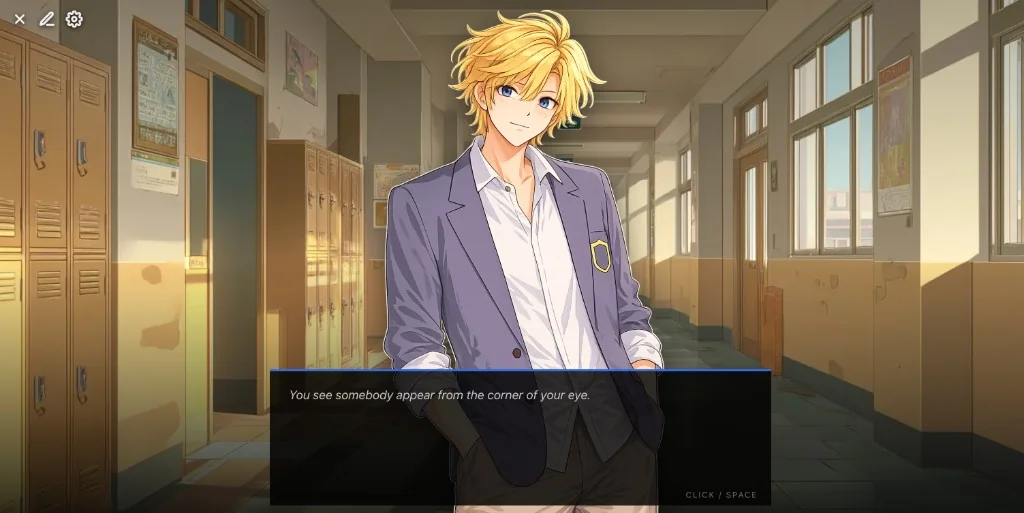
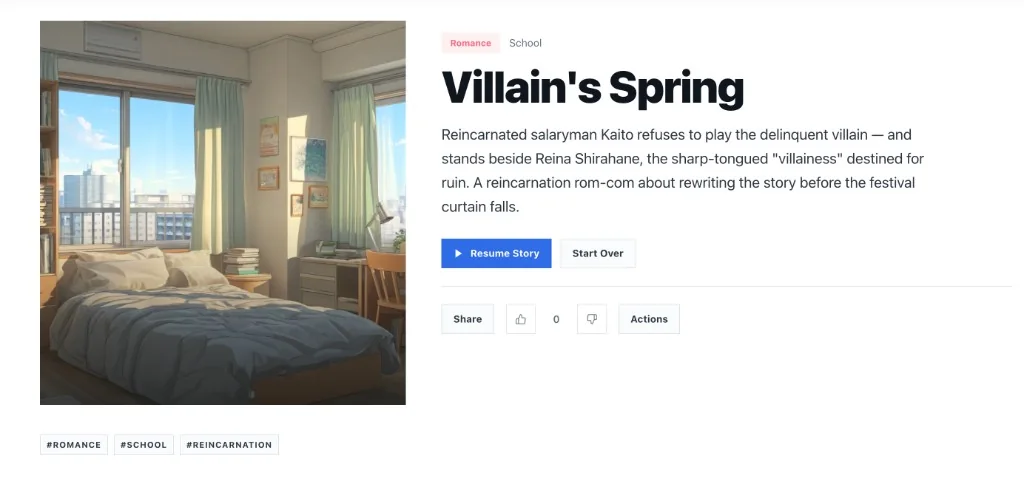
Full visual novel runtime — backgrounds, sprites, dialogue, choices, flags and meters, saves. Studio play starts from a node for authoring. Publish toggles a public listing with cover, title, and description; export ships a .bijio file. Readers find stories on the landing feed and play without the studio chrome.
What holds the story together
Arc graph
Opening → scenes → branches → endings. Edges carry labels, conditions, and state writes. Merge and ending-router logic keep multi-path stories playable instead of dead-ending.
Script beats
The runtime plays authored lines: speaker, emotion, text, enter/exit, location change. AI drafts into the same beat model Write and Scene edit.
State
Boolean flags (“did this happen”) and per-character feeling meters. Choices set them; later scenes and options read them. Health views show set-but-never-read and unreachable ending paths.
Characters + assets
Persona prompts + sprite sets (outfits × emotions). Built-in packs, custom library assets, and published characters. Stage cap of three on-screen NPCs matches the play renderer.
How it's built
Web app first. Studio and play share one Next.js codebase and one Postgres story store.
Layer 1
Next.js (App Router) + React — landing, auth, studio tabs, play runtime
Layer 2
API routes + Zod schemas — arcs, cast, variables, script draft, turn / play, import-export
Layer 3
PostgreSQL on AWS RDS — stories, nodes, edges, cast, saves, publish metadata
Layer 4
Integrations — Cognito auth, S3 assets, SES email, Anthropic / OpenAI for blueprint and scene draft, React Flow + ELK for the Board
The hard constraint is one scene record. Write, Scene, Board inspector, and Play all read the same node — duplicate editors are a UX problem, not a second data model.
Why these surfaces exist
Write is for living in the story.
Long-form authors need a document, a scene list, and choices next to the lines that unlock them — not only a node canvas.
Board is for seeing the shape.
Branching only makes sense when you can see routes, dead ends, and endings. Board answers “where does this go?”; Write answers “what do they say?”
Play is the contract.
If it isn't playable from a node with the same script and state as publish, the studio is a mockup. Save slots, sprites, and choice logic have to match what readers get.